Use the arrows to change screens. Select an image to enlarge it.
Platform screens shown with demo data. Clinicians remain responsible for interpreting results.
Bring one workflow your team wants to improve.
01 / Explore the workflow
What to explore in your demo
Use the screens above to guide your clinic’s demo.
01
Start with the information
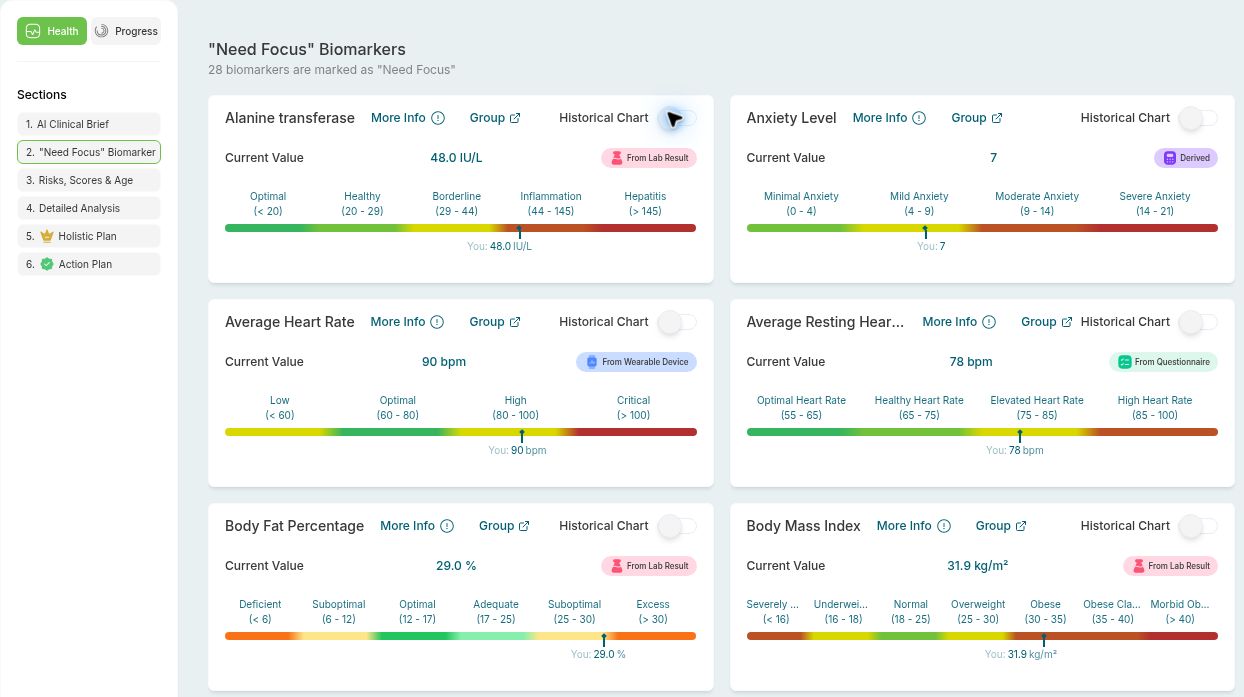
The biomarker screen shows values, reference ranges and source labels. Compare the information shown with what your clinicians need for review.
02
Examine the clinical decision
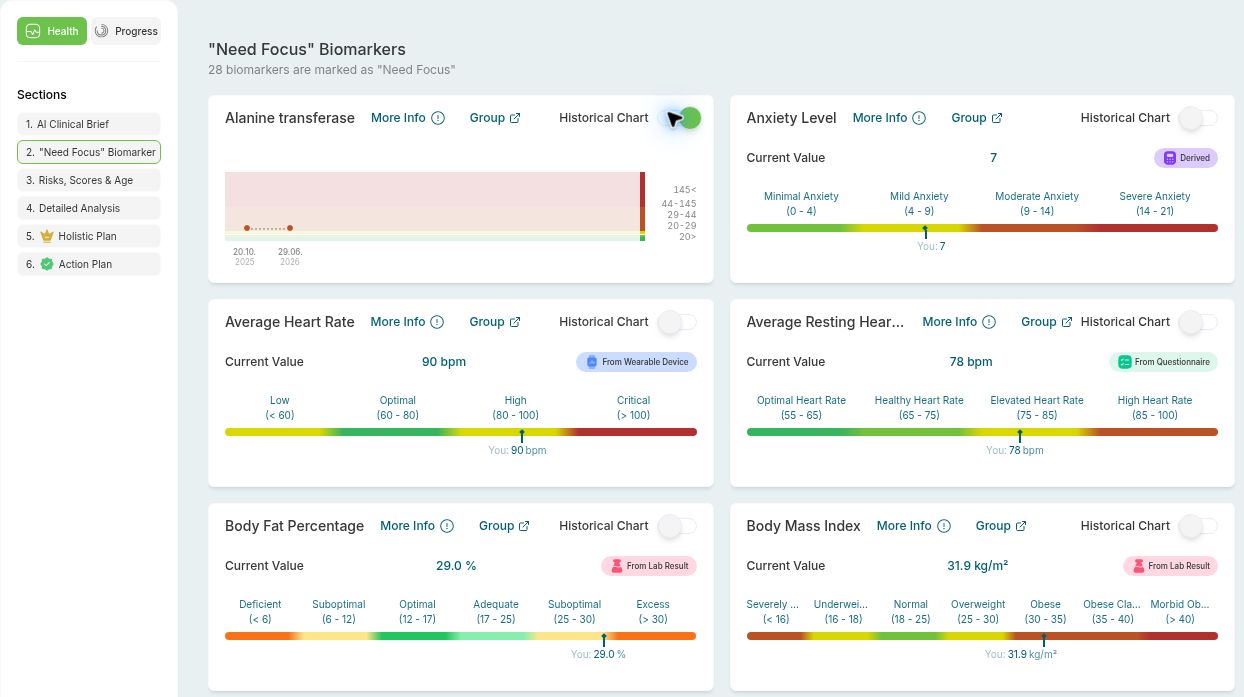
The historical chart shows measurements across two dates. Review this view alongside the biomarker screen; clinicians remain responsible for interpreting results.
03
Trace the handoff
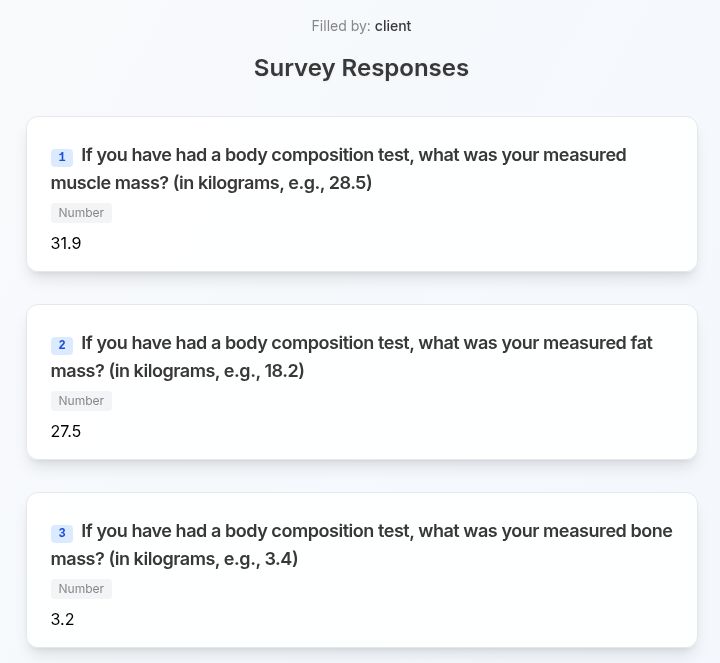
The questionnaire screen shows recorded answers with their questions. In the demo, discuss how your team would use this information and where a manual handoff may still be needed.
Look beyond the feature list
Information flow
Clinical responsibility
Team handoffs
02 / Decide what fits
Different roles. Different requirements.
For longevity, concierge and functional medicine clinics, and medically supervised premium wellness or recovery programs. Clinical and operations leaders need to examine the same process from different angles.
What each decision-maker needs to check
Founders and clinic owners
Compare the platform with your clinic’s own methodology. Which parts must remain specific to your programs?
Medical and clinical directors
Trace who reviews an interpretation and who takes responsibility for the next decision. Look for clear ownership, not an unexplained output.
Operations and program directors
Map the handoff between existing tools, clinicians and coordinators. Identify any work that would remain manual.
Fit with your existing systems needs to be checked for your clinic. Use the demo to distinguish supported connections, manual transfers and requirements that still need confirmation.
You can preview biomarker values and ranges, historical measurements and questionnaire responses on this page. In the demo, examine these views against one of your clinic’s workflows and clarify who handles each next step.
Choose one review or coordination process to discuss. Note the people and tools involved and where work slows down. Please do not include patient or member information.
03 / Request a clinic demo
Show us where the work gets difficult.
During the demo, discuss a recurring review or coordination problem in your clinic. Use the conversation to clarify what HolistiCare supports, what needs checking and what your team would still handle.
Please do not share patient or member information. Requesting a demo does not confirm a calendar booking.
Request your clinic demo
Submit your request, then choose an available time in Google Calendar. Submitting this form does not confirm a booking. Please do not include patient or member information.